
Angel Regalado
Technical Game Designer
| Engine | Skills |
|---|---|
| Unity | C#, Online Multiplayer, Mobile games, Ads/IAP Monetization |
| Unreal | Blueprints, C++, Local multiplayer, UI/UX Design |
| Blender | Hard surface modeling & Texturing |
| Procreate | 2D art & animation |
Project Showcase
Cosmic Combat
A 3D 2-4 player local multiplayer arena battle game
made in Unreal Engine 5.
Large team collaboration
Local multiplayer programming
Unreal UI programming
Overall Work
A collection of my other game development projects and programming "experiments" - game mechanics I made for fun rather than with a specific game in mind.
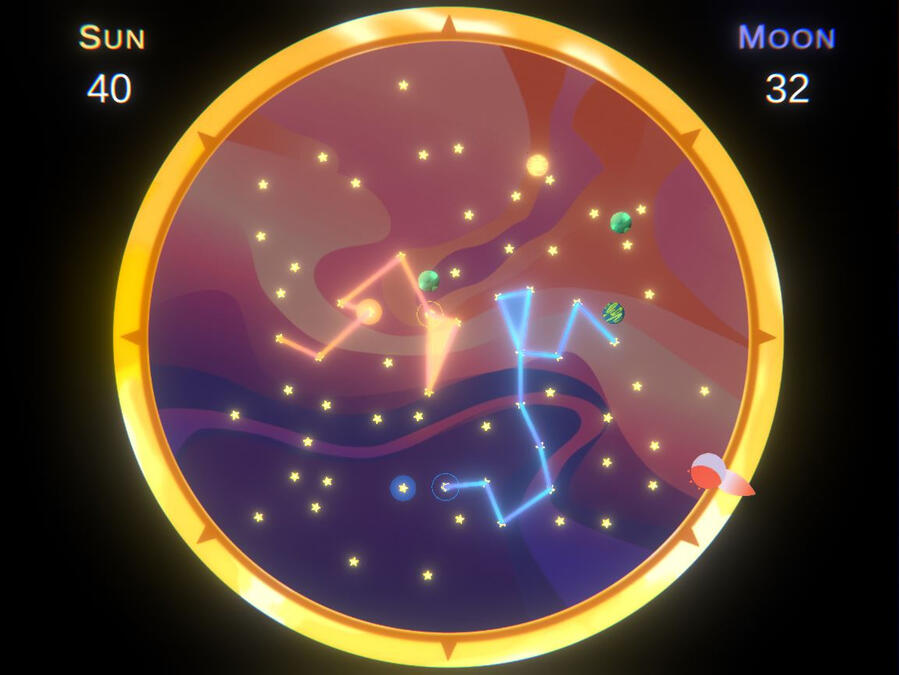
Network Programming
VR Experiences
Procedural Generation
Projects
Experiments
About me
I started learning programming years ago through a combination of Udemy courses, various personal projects and game jams hosted by the Student Game Developer Association (SGDA) at the University of Texas at Dallas (UTD).I technically started designing games with Halo 3's Forge mode in 2007 where I would design games and maps for my siblings and their friends to play on. That interest has evolved since by learning new engines and design techniques.I enjoy challenging myself by attempting to create game features that I have not created before - my current hobby project is an online multiplayer board game to help me get a more concrete understanding of networking.
Cosmic Combat
Cosmic Combat is a 3D local multiplayer game where players battle against each other in minute-long free-for-all matches.
The game was created in my senior year at the University of Texas at Dallas (UTD) by the two-semester long Game Production Lab class.
My Roles
First Semester - Freelance Programmer
As a "freelance" programmer I was tasked to contribute to different parts of the game rather than focusing on a single aspect.
Setup the join/leave functionality of the local multiplayer lobby.
Added a blueprint to handle multiple player input in menus.
Added position/direction indicators to the players in the form of decals.
Added a modular player HUD that could be used for each of the on-screen characters (up to 4).
Created a custom Game Instance blueprint to store data between levels.
Lobby Progress Screenshots
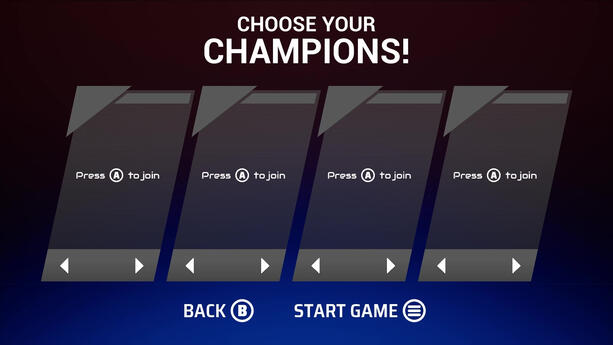
Final Version
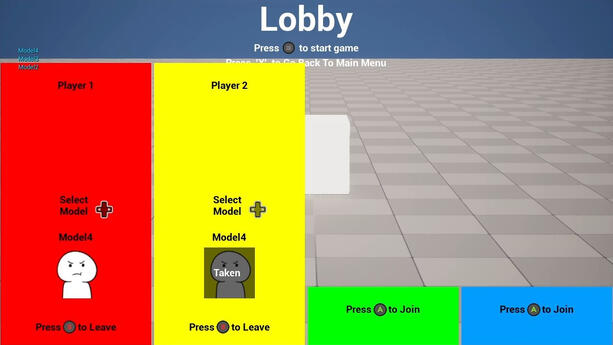
First Draft

Updated Version


Second Semester - General Programmer
We switched to a different organizational structure for the second semester so all the programmers got grouped in one department.
Modified the lobby to include a "lock in" system for players to confirm their character choice.
Modified the lobby to function with UI animations (4 possible players with 4 possible characters, a countdown for the game to start).
Setup data assets in the Game Instance and hooked up the game modes to pull from them to update the player characters (getting the character color/mesh/anim blueprint/etc).
Refactored the player HUD to match new design requirements.
Polished the player HUD to work identically and efficiently with both game modes.
The Lobby
Lobby Gameplay Video
The requirements for the lobby were to create a way for players to join/leave the game and to choose their characters - later adding a way to prevent players from choosing the same character.
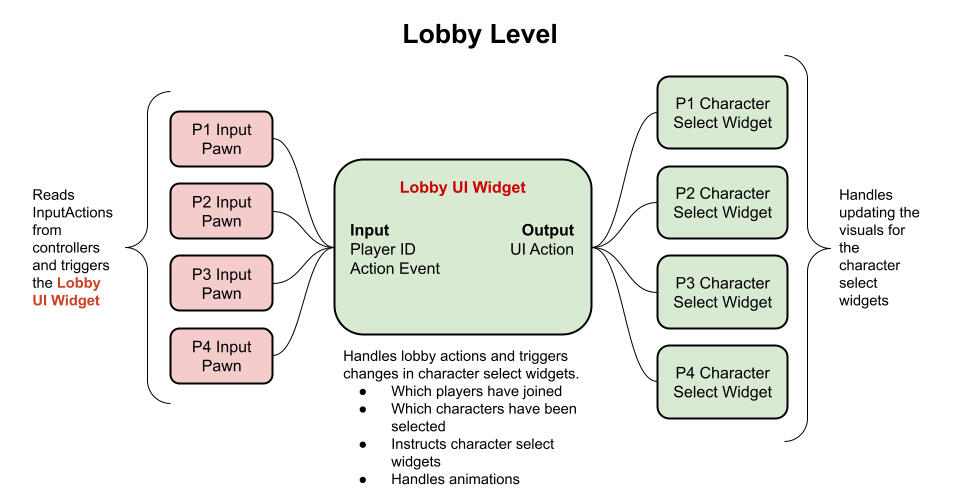
We setup 4 individual player pawns that would create their own player controller that had no visible components and was only responsible for listening for player inputs.
The lobby used
Interfaceswith a player ID input to trigger each character select widget to update the UI.I used a custom
GameInstanceblueprint that would store the data (selected character/player ID/score) and could be called from any other blueprint to retrieve the data.Later it was requested to add a "lock in" feature that added the player HUD to the lobby to make it more clear to players which HUD belonged to them.
Previously the character selection had two states (connected/disconnected) but two more states were added (locked in/not locked in). I managed to get it working by adding an additional check for the states without having to redesign the blueprint.
Player HUD
Concept and Implementation Slideshow

Final Design

Final Concept Art

First Draft Design

First Draft Concept Art


Designers wanted a HUD widget that could be used for each of the game modes (total of 2).
The other programmers setup their game modes differently so the HUD had to be modular enough to use in different situations.
The HUDs get "initialized" at the start of the level with a few values passed in: which player is using this HUD element, which character image/color to use, and the character controller which contains event dispatchers that the HUD would bind to for updates.
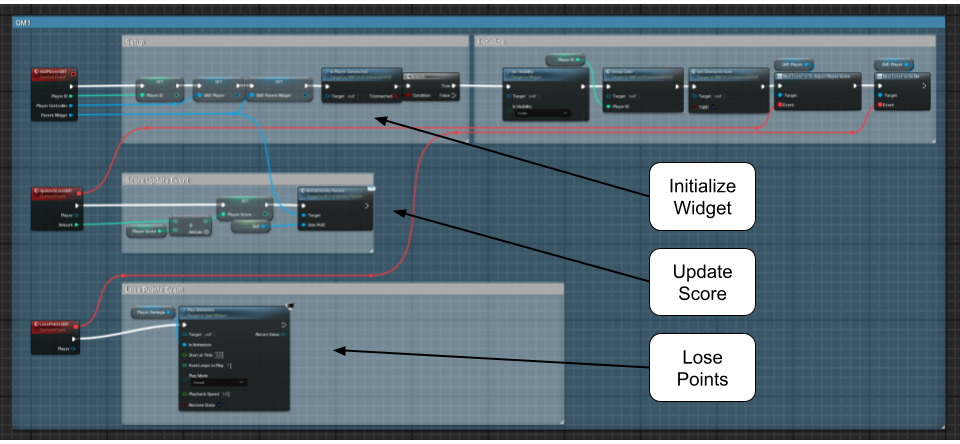
Both game modes needed animations for: first place and losing points.
The first place animation is triggered by the parent widget which calculates who has the highest score.
The lose points animation is triggered by the player controller's event dispatcher.
HUD Animations (First place & taking damage)
Biggest Challenges
Learning how to use Blueprints.
This project was my first experience with visual scripting and Unreal Blueprints. While I enjoy traditional scripting there were aspects of visual scripting I enjoyed - particularly how easy it is to follow the path of the code.
After a weekend of making an experimental project and with the help of more experienced teammates this challenge was overcome within the first couple of weeks.Working with other people's code and writing code that was easy for others to work with.
Everyone made their blueprints slightly differently which added complexity to the project. I focused on abstracting my code and including few dependencies which made it easy to manage when: design changes were made, other blueprints were modified and later features were implemented.
Additional Projects
Lindo Flip
Gameplay Video
Theme Switching Feature

A logic puzzle game for Android devices. Similar to a casual version of Minesweeper.
4 in a row
An online multiplayer demo that uses Unity's Lobby, Relay and Netcode packages.
Udder Chaos
My latest jam game about barnyard animals building a rocket with different parts to get to space.
Used and refined a grid building system from previous projects.
Focused more on polish and feedback for the game and UI.
Capture the Sky
Another jam game where I got to try node-based player movement and procedurally generating a semi-random play area.
Created a triangle grid with slight offsets
Created functions for the player controller to check adjacent grid positions
Cake Simulator
Demo Video
A VR project for my Topics in Games class. The goal was to make a "training video" for making a cake in VR.
Taught me how VR can be used for simulation training especially in scenarios where training with real equipment is costly.
Controll
My second solo game I made for a game jam.
First time creating an enemy AI - learned the value of state machines in organizing AI behavior.
If I were to continue this project I would change the color scheme as accessibility in games has become important to me.
Lunch Rush
The first game I ever completed for my first game jam.
Learned about project architecture, how classes interact with each other, UI management and how to handle many gameObjects in a scene at once.
Programming Experiments
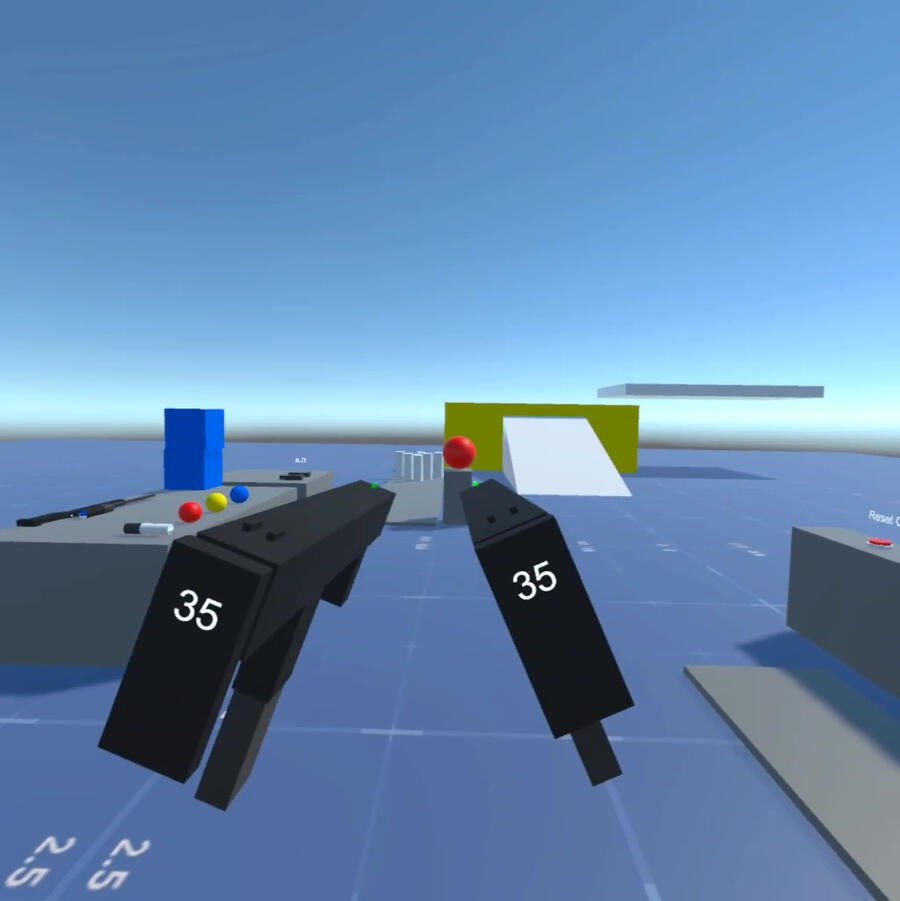
VR Experiments
Shooter Sandbox
Mech Pilot Sandbox
A couple of VR sandboxes to test different VR mechanics
For the shooter sandbox: got to learn with gun mechanics and health systems.
For the mech sandbox: learned about vehicle piloting simulation and the importance of visual/haptic/audio feedback in VR.
Civ Game World Generator
Initial Test
Updated 3D Hex Grid Test


Generates a new world map based on a specific number of cities and then assigns them territories and then groups them into nations.
First time doing procedural generation.
Used a Voronoi fill algorithm to determine territories.
Later modified it to work on a hex grid with 3D meshes.
Jigsaw Puzzle Generator
Randomly decided to figure out how to do jigsaw puzzles over a weekend
Puzzle pieces are randomly generated every time.
The puzzle can have a wide variety of total pieces
If I were to continue this project I'd like to try making 3D puzzle pieces to experiment with mesh generation.
The Urban Game
Grid Based City Building Demo

Inspired by a school exercise about the industrial revolution
Grid based city building controller. Taught me how to handle grid selection in different situations.
First attempt to do city building in Unreal.